TL;DR // summary
Why Render instead of AWS?
- Simplicity! I just want to deploy a simple app without wasting time on infra management!
- Peace of mind! No more waking up in the middle of the night with a nightmare about your AWS bill! The cost is fixed.
- NAT Gateway! This can cost more than your compute!
- Faster go prod.
I've worked extensively with AWS for over 12 years on large-scale financial systems. Probably because of that experience, I also used it for all my personal projects. It took me far too long to realize how much time I was wasting.
My hope was that AWS would eventually simplify the developer experience. Unfortunately, not much changed. I kept spending hours setting up infrastructure instead of shipping products to production.
I still believe AWS is an excellent choice for big enterprise systems that need massive scale, compliance, or specialized services. But for startups and indie developers who don't require that level of compute, it's often the wrong tool. Later in this article I'll run the actual numbers and show you exactly when it makes sense to move (or stay) on AWS.
As a startup founder, your number one priority must be focusing on the product and shipping to production. If you're spending half your time on infrastructure work, you're doing something wrong. Many of my projects never reached production and I suspect I would have shipped more if I hadn't poured so much time into AWS setup.
One day, after realizing how much time it took just to add another Docker service, I finally decided to look for alternatives. Time had become too precious, and I was no longer learning anything valuable from AWS infra work. I was ready to pay a bit more if it meant saving hours every week.
What I was looking for in an AWS alternative
My criteria were simple:
- Simplicity - Deploy a Docker-based app with minimal steps
- Price - It can cost a little more than AWS, but cheaper is obviously better
- Easy maintenance - No Terraform module updates, no complex logging setups, and straightforward monitoring
- Serverless - VMs are usually cheaper on paper, but serverless gives you incredible deployment speed and dramatically lowers maintenance burden
The Free Tier: A Sweet Deal With Important Catches
Render's free tier looks almost too good to be true. Free compute that seems perfect for dev environments (and maybe even light production). But there are a few important catches you need to know about.
1. Idle Instances Go to Sleep — No Free Lunch
After 15 minutes without any inbound requests, the service is shut down. Even if your service is actively processing background work, it will still be killed if there are no incoming HTTP requests or WebSocket messages.
Because of this behavior, the free tier can be impractical for services that don't expose an API (background workers, cron jobs, etc.).
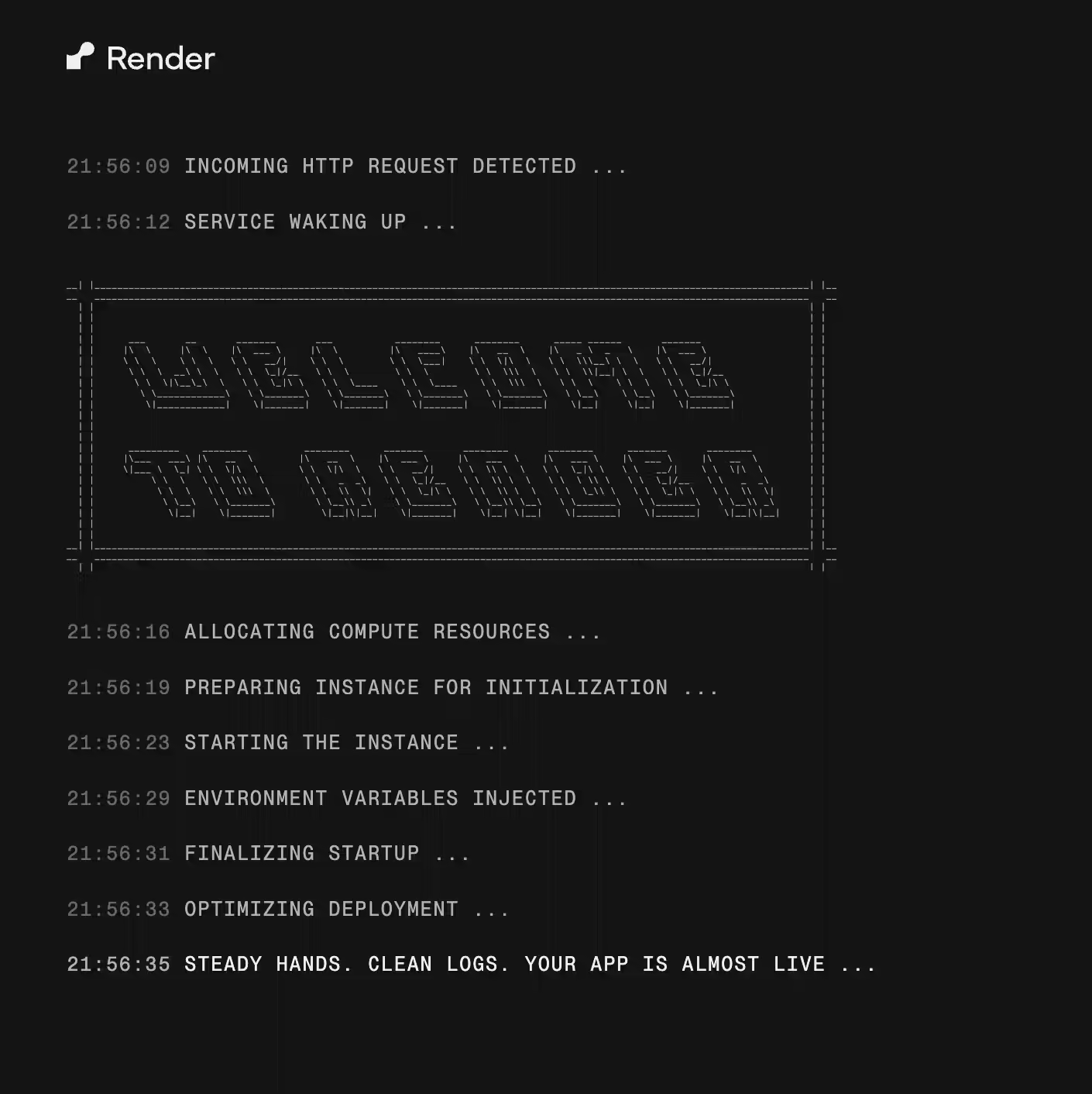
After a shutdown, expect a cold restart. It typically takes 30–60+ seconds, but sometimes can take longer.
2. Very Low Specs
The free tier gives you only 0.1 vCPU. You'll feel it immediately on first startup.
When running locally on my Mac M4, my Spring Boot app starts in less than 10 seconds. On Render's free tier, the exact same app took over 3 minutes. That shouldn't surprise anyone when you're only given one-tenth of a CPU core.

3. 750 Hours Monthly Limit
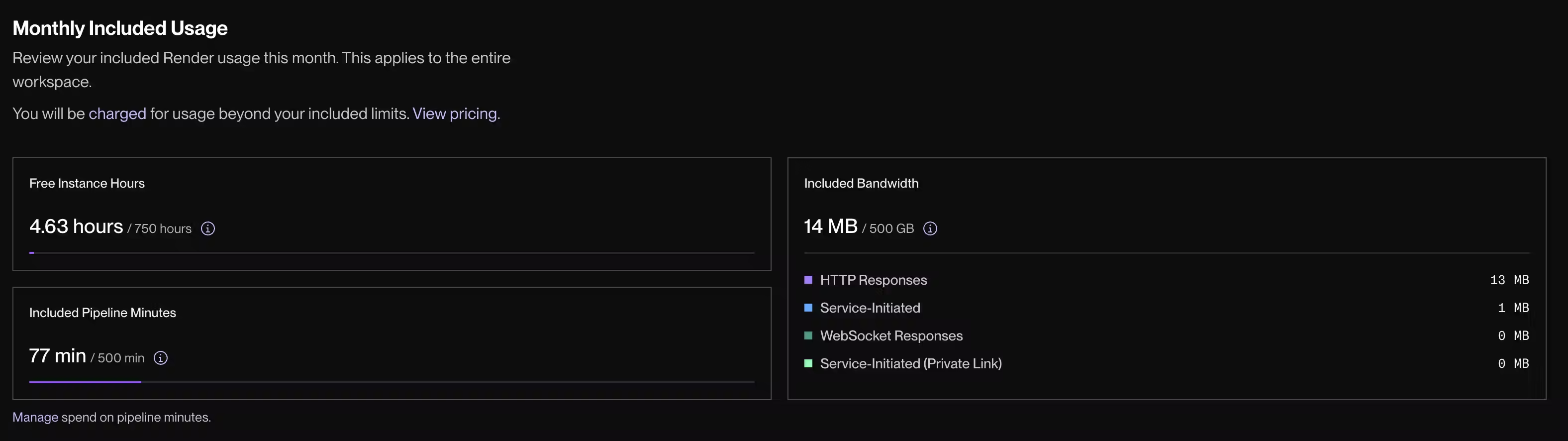
The free tier is not unlimited. You get 750 compute hours per month per workspace. That's enough to run a single service 24/7 for the entire month.
Here's the part I actually love. You only consume hours while the service is running. If your app was deployed all month but only used for 2 hours, Render only subtracts 2 hours from your quota!
This model is genuinely smart. It lets you run many applications for free, including multiple environments, without paying anything. On AWS (outside the free tier trial period), I often had to pay double just to spin up a dev instance.
In my opinion, this is a brilliant strategy from Render. If you use the free tier heavily, the combination of instance termination and cold starts will eventually frustrate you enough that you'll happily upgrade to a paid plan (that's what happened to me).
Creating Dev and Prod Environments
On AWS, the recommended way to separate dev from prod is to create separate accounts under the same root account. It sounds clean in theory, but the setup and ongoing maintenance overhead is painful. I'm not surprised that many people either run everything in one account or only have a production environment on AWS.
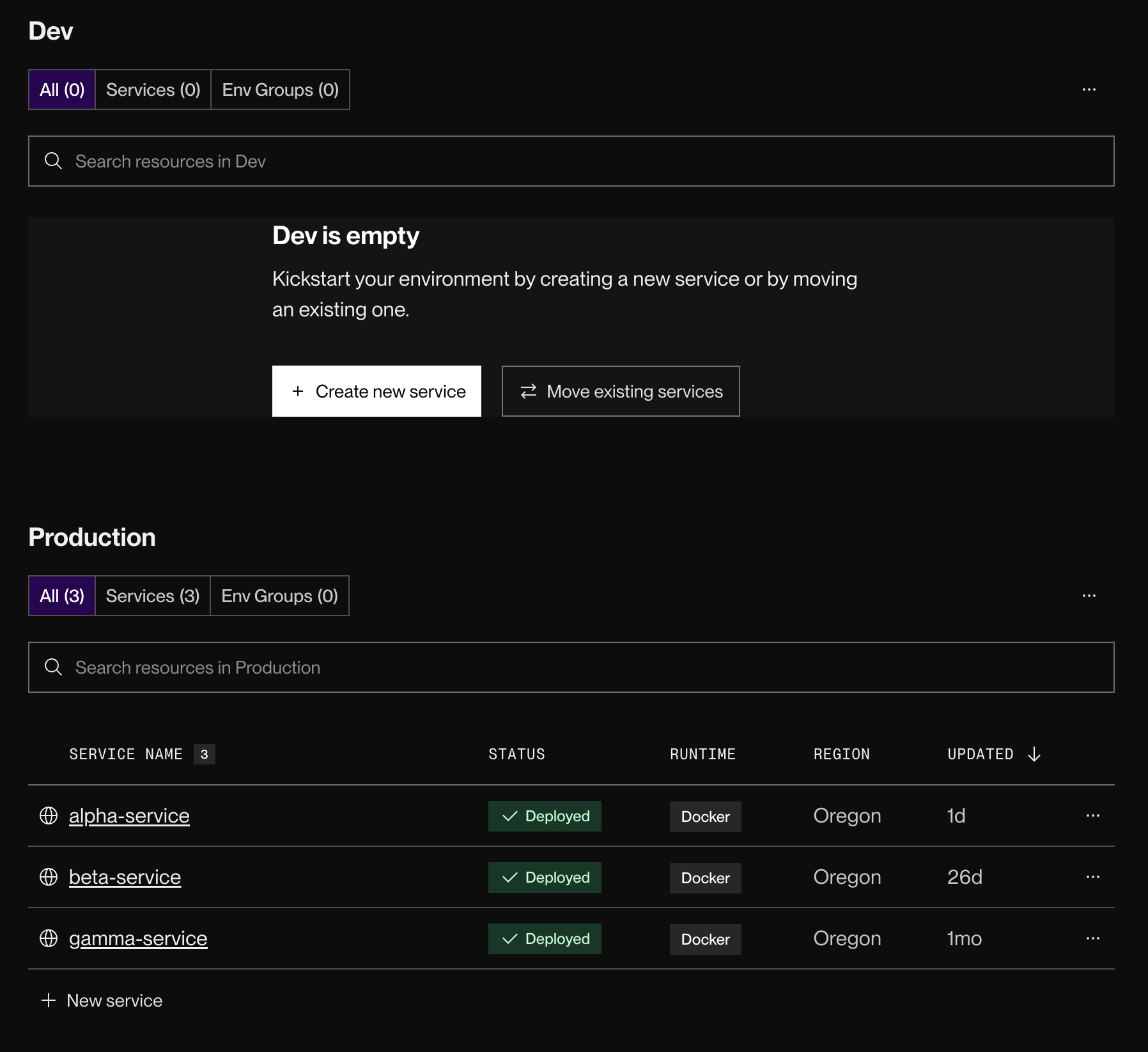
Render doesn't offer anything revolutionary for environment management, but it is much simpler. You can just deploy services under different projects (or use preview environments). That's it.
Is Render Cheaper? Compute Pricing Comparison
Render's lower-tier instances are definitely cheaper than AWS (and most other cloud providers) for small-to-medium workloads.
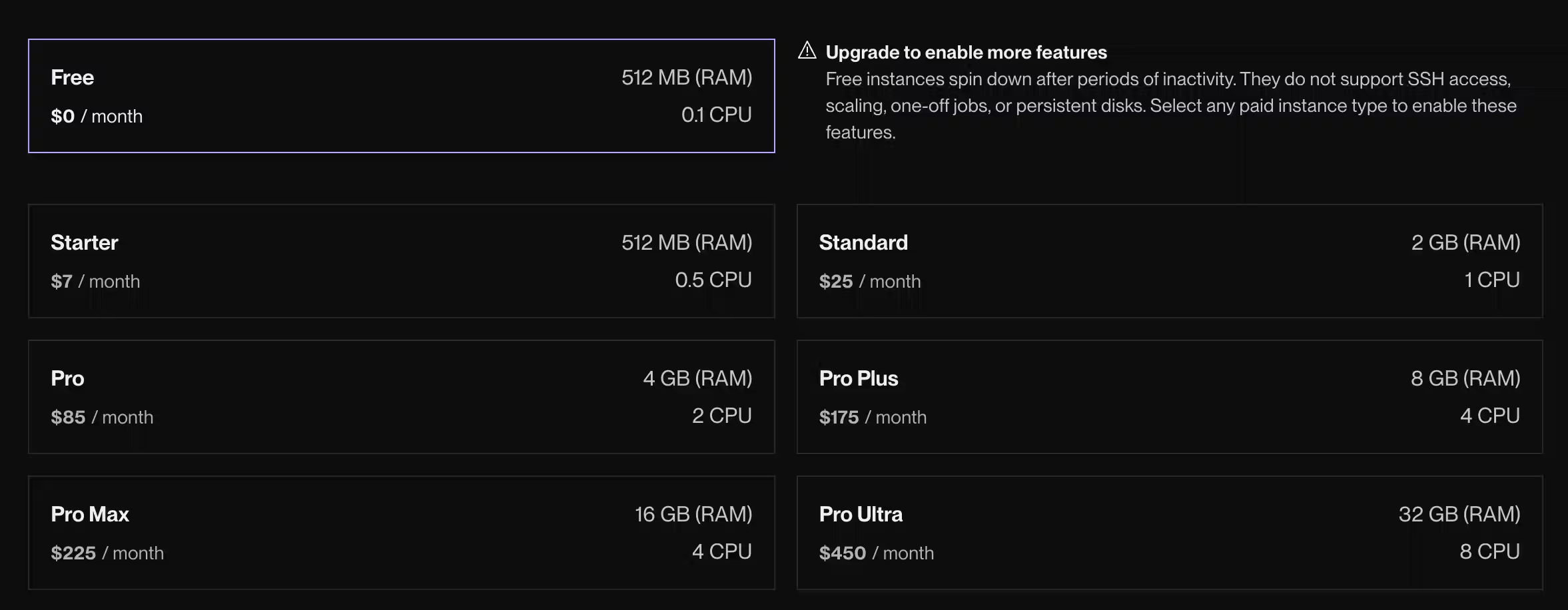
Here's a clear side-by-side comparison (as of April 2026), we will be using AWS Fargate compute engine as this is the closest compute type to serverless Render:
Key takeaways:
- For most startups (up to ~Pro tier), Render is cheaper or comparable.
- At very high scale (Pro Plus and above), AWS usually becomes more cost-effective - especially if you use Savings Plans or EC2.
- Remember: Render prices above are compute only. Hobby workspaces are $0 + compute. Professional workspaces add $19/user/month.
This is exactly why I recommend Render for startups that aren't (yet) operating at massive scale. This is especially great choice if you just need to run 1-3 small services, overall you might save money because you cut the cost of NAT Gateway, load balancer and other AWS components necessary to run anything. With more services on AWS, the cost of NAT Gateway and load balancers becomes less significant and the price advantage might be on the AWS side
Logging and Monitoring
I've used pretty much every major SRE tool - Datadog, Kibana, Splunk and more. After all these years, I have to admit that CloudWatch is still very disappointing. It blows my mind that AWS hasn't meaningfully improved it. Datadog is making billions and even if AWS delivered just a fraction of Datadog's features, many teams would happily stick with CloudWatch.
Logging is extremely important to me. I want to find the root cause of issues quickly and also extract interesting insights from my logs.
Don't expect a Datadog-level experience on Render. What they offer is simple, but it includes all the basic features you actually need. The UI is clean and reading logs is genuinely pleasant.
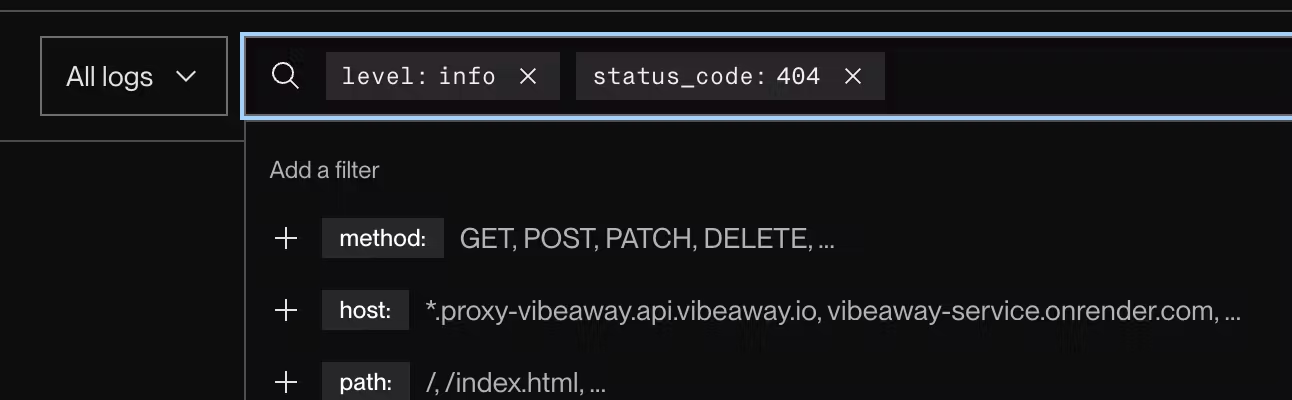
In addition to simple string search, you can easily apply filters using straightforward syntax.
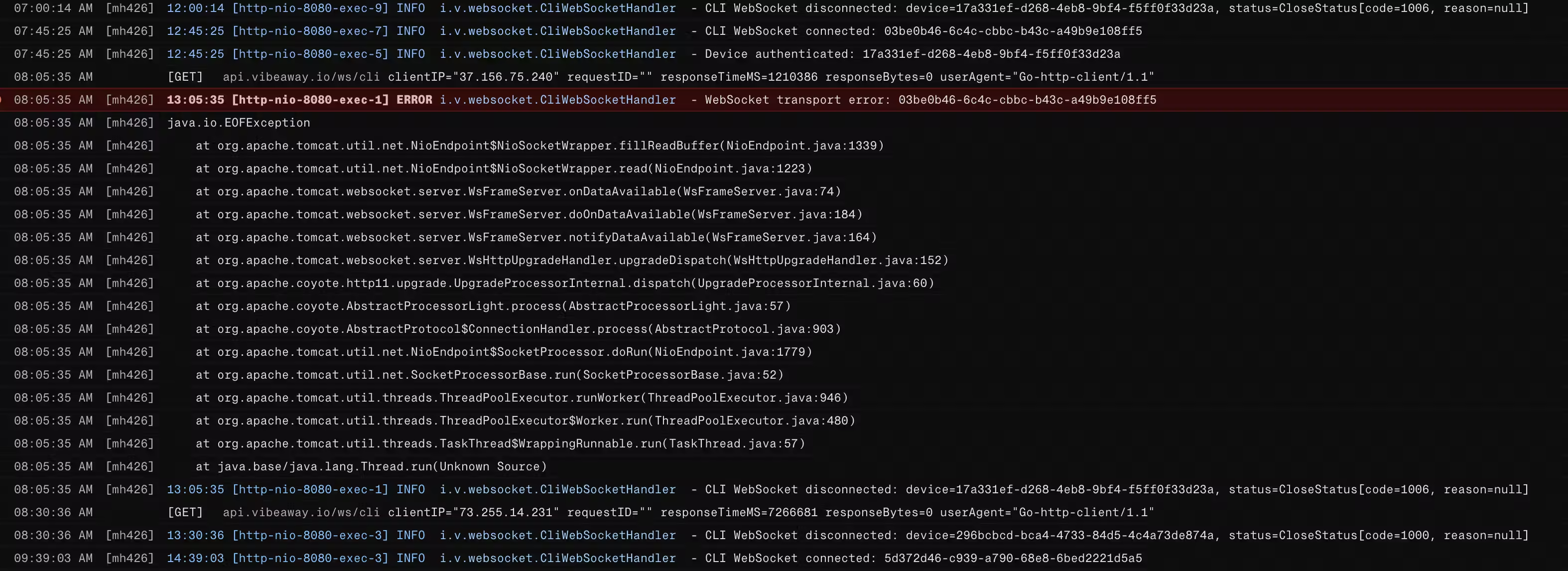
Request logs are another genuinely useful feature that helps debug issues. You don't need to enable anything it just works out of the box.

Migration Experience
One of the main differences I encountered during migration was the lack of extra build stages before the Dockerfile step.
In my previous GitHub Actions setup, I would first build the JAR file in a separate step, then copy it into the final Docker image. On Render, you have to include all build stages inside a single Dockerfile. This can make migration slightly more complex and gives you less flexibility in your CI pipeline.
Render.com's native Docker builds are dead simple but annoyingly slow and opaque. Connect your repo, push a Dockerfile, and it builds on their infra with basic caching. Good for prototypes, but expect 10+ minute builds and no real control when shit breaks.
GitHub Actions is the way to go for anything serious. Faster builds with proper caching, full Buildx features, tests, and scans. If you already have GitHub Actions or need advanced stuff, just build and push the image (to GHCR/Docker Hub), then point Render at the pre-built tag using an image-backed service or their Deploy Hook API. No more waiting on their builder.
Overall, for the first time it took me an hour to fully move one service from AWS ECS to Render and get familiar with what Render offers. The rest went much quicker.
Did I completely move from AWS
No. I'm still using multiple AWS services like S3, DynamoDB, Amplify, or SES. The main complexity was around compute and putting everything together. I'm glad that I no longer have to pay for the bloody NAT Gateway, set up networking, or maintain CDK stacks. This is my new go-to place for running prototypes or experimenting with new services. Once the scale of my operations increases, I might even move compute to AWS to get sweet deals from spot instances or reserved instances, but before that happens, I stick with Render and save my precious time.
